
How To Safely Deposit & Withdraw Bdt On Gambling Sites: bkash, Nagad & Rocket Guide
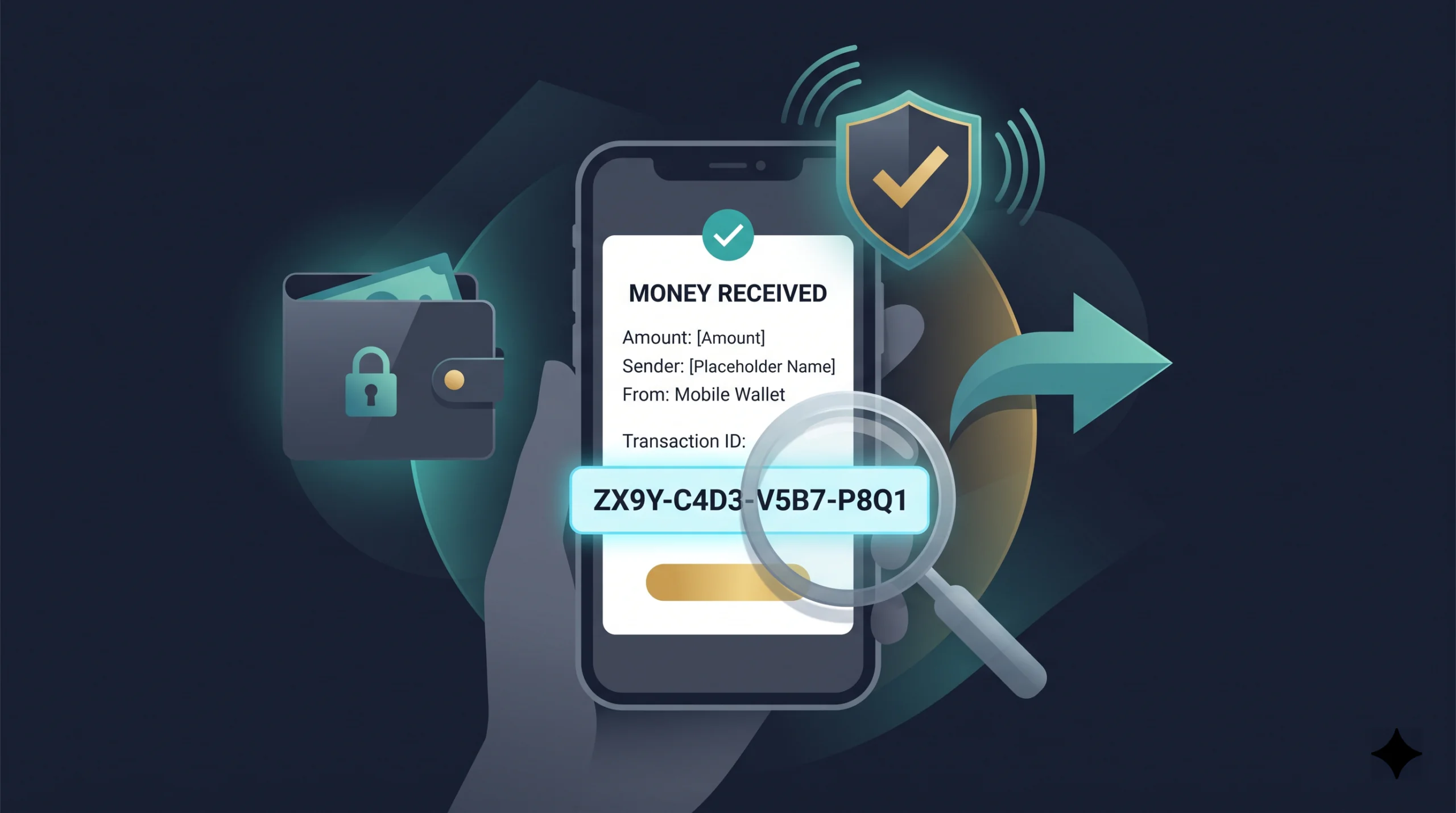
Before any platform section, this definition must be in place. Everything that follows depends on it.
A Transaction ID — abbreviated as TrxID on most gambling platforms, and defined by bKash itself as “a system-generated unique reference number against each transaction that is preserved as identification” — is the alphanumeric code that appears on your SMS confirmation after every bKash, Nagad, or Rocket transfer is successfully processed.
bKash TrxID format: 10 characters, typically beginning with a letter. Example format: A8B4C12903.
Nagad TrxID format: similar alphanumeric string, specific format visible in the Nagad app’s transaction history and in the confirmation SMS.
Rocket TrxID format: numeric or alphanumeric string, visible in the transaction confirmation SMS from Dutch-Bangla Bank.
The Three Uses Of A Trxid In Gambling Deposits
Use 1 — Deposit confirmation. Most gambling platforms in Bangladesh require you to copy the TrxID from your wallet confirmation and paste it into a reference field in the platform’s deposit form. Without this, the platform cannot match your incoming transfer to your account. The money arrives on the platform’s side but sits unmatched — effectively invisible to your account until a support agent manually reconciles it. This reconciliation takes hours and requires the TrxID anyway. Submitting it upfront prevents the problem entirely.
Use 2 — Dispute resolution. If your deposit does not appear in your platform balance within the expected timeframe, the TrxID is what support needs first. It allows support to check whether the transfer was received, whether it matched the amount entered in the cashier, and whether it was credited to the correct receiving wallet. Without a TrxID, a support agent cannot investigate your transaction at all.
Use 3 — Fraud protection. If your wallet is queried by bKash’s monitoring system or Bangladesh Bank’s Financial Intelligence Unit (BFIU) regarding a transaction, the TrxID is the reference that allows you to provide a verifiable record of what was sent, to whom, and when. A player who cannot produce their TrxID has no audit trail for their own funds.
Where To Find The Trxid
bKash: The TrxID appears in the SMS sent to your registered mobile number immediately after a successful Send Money transaction. It also appears in the bKash app under Transaction History → select the specific transaction → Transaction ID field.
Nagad: The TrxID appears in the Nagad app’s transaction history and in the Nagad SMS confirmation. Open the Nagad app → Transactions → select the transaction → Transaction ID.
Rocket: The TrxID appears in the Dutch-Bangla Bank Rocket SMS confirmation sent after the transfer is processed.
The Screenshot Rule
Take a screenshot of your confirmation screen immediately after every transfer — before closing the app. The screenshot must show: the recipient wallet number, the amount transferred, the date and time, and the TrxID. Store this screenshot in a dedicated folder on your device labelled by platform and date. Do not rely on SMS alone — SMS is searchable but can be deleted accidentally. A screenshot with the full confirmation screen is the fastest document to produce when support asks for it.
Do not take a screenshot of the payment screen before the transfer is confirmed. A screenshot showing you entering the amount is not a TrxID receipt. The receipt screen only appears after the transfer has been processed.
What Happens If You Lose The Trxid
If the TrxID SMS is deleted and the screenshot was not taken, retrieve it from the app’s transaction history. bKash transaction history stores records for at least 90 days within the app. Nagad and Rocket store equivalent records accessible in their respective apps. If the amount was transferred on a day when you made multiple transactions, filter by date and recipient number to locate the correct entry.
If the app has been uninstalled or the device is lost, contact the wallet provider (bKash helpline: 16247, Nagad helpline: 16167, Rocket helpline: 16216) with your NID and registered mobile number. They can retrieve the transaction record and provide the TrxID.
Foundation: Mfs Agent Transfers — How To Use Them Without Getting Your Wallet Blocked
This section exists because of a regulatory development that occurred in late 2025 and that no gambling payment guide currently addresses with the specificity it requires.
In November 2025, Bangladesh Bank issued a directive to all Mobile Financial Services (MFS) providers — including bKash, Nagad, and Rocket — instructing them to stop processing online gambling transactions. bKash’s own corporate communications confirmed they report suspicious accounts voluntarily to the Bangladesh Financial Intelligence Unit (BFIU) and provide assistance to law enforcement investigations based on suspicious account patterns.
This does not mean deposits to gambling platforms are impossible. It means the method by which you deposit determines your exposure to wallet monitoring and potential blocking.
The Two Transfer Methods And Their Risk Profiles
Send Money (wallet-to-wallet): This is the standard peer-to-peer transfer between two mobile wallet numbers. Most gambling platforms in Bangladesh use this method — they provide you with a personal wallet number and you initiate a Send Money transfer from your own wallet. bKash does not charge a fee for Send Money transfers. From a monitoring perspective, a Send Money transfer from your personal wallet to a platform-side personal wallet number looks like a transfer to another individual — which is within normal wallet use patterns.
Payment / Merchant Payment: This is a payment to a registered bKash merchant. If the receiving merchant is categorised as a gambling entity by bKash’s monitoring system, the transaction will be flagged immediately. Gambling platforms in Bangladesh use Send Money, not Merchant Payment, specifically to avoid this. Never use the Merchant Payment function for gambling deposits unless explicitly instructed by the platform.
The Mfs Agent Route And Its Specific Risks
Some players in Bangladesh deposit to gambling sites through MFS agents — physical agent points where you cash in or cash out through a registered agent wallet rather than your own personal wallet. The appeal is anonymity: the transfer appears to originate from the agent’s wallet rather than the player’s personal number.
The risks of this approach are specific and worth stating plainly:
Risk 1 — Withdrawal incompatibility. Gambling platforms in Bangladesh send withdrawals to personal wallet numbers only. They cannot send to agent numbers. If you deposit via an agent’s wallet number and later want to withdraw, the platform’s withdrawal system has no personal wallet number on file to send to. Your winnings will be held until you bind a personal wallet number, which triggers identity verification — the step the agent route was intended to avoid.
Risk 2 — No TrxID tied to your identity. The TrxID from an agent-route transfer is linked to the agent’s wallet, not yours. If the deposit is disputed, you have no documentary trail that the funds came from you. Support cannot verify ownership of the funds.
Risk 3 — Agent fraud. Unlicensed “agents” operating through Telegram groups and Facebook pages are not official bKash or Nagad agents. They collect your cash, promise to deposit on your behalf, and may disappear with it. Distinguishing a legitimate licensed agent from a scam operation is not straightforward for a first-time user.
The correct approach: use your personal bKash, Nagad, or Rocket wallet for all gambling deposits. Use Send Money to the platform-provided personal wallet number. Take a TrxID screenshot. Submit the TrxID in the platform’s reference field. This is the transaction pattern that works reliably across all four platforms covered in this guide.
How To Reduce Wallet Monitoring Risk On Your Personal Wallet
- Do not use gambling-specific language in the Nagad, bKash, or Rocket transaction reference/note field if your wallet version has one
- Do not make multiple transfers to the same wallet number in quick succession. One transfer per session. If the deposit does not credit, contact support before making a second transfer.
- Do not deposit and immediately withdraw in the same session without placing any bets in between. This pattern resembles money-laundering structuring rather than normal play and may trigger platform-side review as well as wallet-side monitoring
- Keep personal wallet transactions (groceries, utilities, family transfers) and gambling deposits in a ratio that reflects normal usage. A wallet that sends 100% of its monthly volume to gambling-adjacent wallet numbers is a monitoring anomaly.
- If your wallet is blocked: contact the wallet provider with your NID and a clear explanation. Blocks triggered by suspicious gambling-adjacent patterns are not always permanent and can sometimes be lifted through identity verification and explanation of the transaction purpose.
Krikya — Bkash, Nagad, Rocket: Limits, Steps, And Friction Points
Krikya is one of the most widely used gambling platforms among Bangladeshi players for both sports betting (particularly cricket) and casino games. It supports bKash, Nagad, Rocket, and Upay for deposits and withdrawals, all transacted in BDT with no platform-side commission.
| bKash | Nagad | Rocket | |
|---|---|---|---|
| Minimum deposit | 200 BDT | 500 BDT | 200 BDT |
| Maximum deposit | 20,000 BDT per transaction | 20,000 BDT per transaction | 20,000 BDT per transaction |
| Minimum withdrawal | 800 BDT | 800 BDT | 800 BDT |
| Maximum withdrawal | 30,000 BDT per day | 30,000 BDT per day | 30,000 BDT per day |
Platform fees: none. Wallet-provider fees may apply on the wallet side (notably Rocket’s cash-out fee if you withdraw from an agent point after receiving to your wallet).
Withdrawal processing time: 1–12 hours for bKash; 1–24 hours for Nagad and Rocket. The variation reflects system load and time of day — transactions submitted between 8 pm and midnight take longer due to peak gateway traffic. Note that only one withdrawal request can be processed at a time on Krikya. Subsequent requests are queued.
Deposit Steps On Krikya
-
Step 1
Log in to your Krikya account via the official site or app.
-
Step 2
Click the orange Deposit button (top right of the navigation bar).
-
Step 3
Select your method — bKash, Nagad, or Rocket. Enter the exact BDT amount you intend to transfer. Do not alter this amount in the wallet app.
-
Step 4
Krikya generates a recipient wallet number for your specific transaction. Copy this number directly from the screen. Do not use a number from a previous session — Krikya’s receiving wallet numbers rotate for security.
-
Step 5
pen your bKash, Nagad, or Rocket app. Use Send Money (not Payment). Enter the Krikya-provided wallet number and the exact BDT amount from Step 3.
-
Step 6
Complete the transfer. Take a screenshot of the confirmation screen showing the TrxID.
-
Step 7
Return to Krikya’s deposit screen. Enter the TrxID in the reference/transaction ID field. Submit. Your balance should update within a few minutes during off-peak hours.
Withdrawal Steps On Krikya
- Step 1: Log in to your Krikya account. Confirm KYC verification is complete — withdrawals require a verified account. KYC can be completed under Profile settings.
- Step 2: Navigate to Deposit/Withdrawal → Withdrawal section.
- Step 3: Select your withdrawal method. It must be the same method used for your deposit — Krikya requires same-method withdrawal to comply with anti-money-laundering policy.
- Step 4: Enter the withdrawal amount (minimum 800 BDT). Enter your personal wallet number (bKash, Nagad, or Rocket). This must be your own registered number — not an agent number, not a family member’s number.
- Step 5: Submit. Wait for the processing window for your method.
Krikya-specific Friction Points
Name mismatch is the most common withdrawal failure on Krikya. The name registered on your Krikya account must match the name registered as the owner of your bKash, Nagad, or Rocket wallet. A mismatch — including spelling differences, abbreviated names, or a wallet registered in a family member’s name — blocks the withdrawal at verification. Fix this at registration: enter your name exactly as it appears on your NID and on your mobile wallet registration.
The +2% automatic deposit bonus applies to bKash, Nagad, Rocket, and Upay deposits on Krikya. A 1,000 BDT deposit credits as 1,020 BDT. This bonus is automatic and requires no code.
Stage-unlock requirement for the welcome bonus: Krikya’s multi-stage welcome bonus (100% up to 15,000 BDT) requires you to contact support between stages. If you deposit for stage two without contacting support first after completing stage one’s wagering, the stage two bonus is forfeited. This is not a payment issue but it is tied to your deposit timing — be aware before making your second qualifying deposit.
Nagad88 — Bkash, Nagad, Rocket: Limits, Steps, And Friction Points
Nagad88 is a Bangladesh-facing platform with a casino and sportsbook, operating under a Curaçao gaming licence. It supports bKash, Nagad, Upay, Rocket, and FastPay for deposits and withdrawals in BDT.
| bKash | Nagad | Rocket | |
|---|---|---|---|
| Minimum deposit | 500 BDT | 200–500 BDT (varies by source — confirm in cashier before depositing) | 500 BDT |
| Maximum deposit | 100,000 BDT per transaction | 100,000 BDT per transaction | 100,000 BDT per transaction |
| Minimum withdrawal | 800 BDT (some sources indicate 1,000 BDT — verify in cashier) | 800–1,000 BDT | 800 BDT |
| Processing time | Instant to a few minutes (deposit); 15 minutes to 24 hours (withdrawal) | Instant (deposit); 15 minutes to a few hours (withdrawal) | Instant (deposit); up to 24 hours (withdrawal) |
Platform fees: none on Nagad88’s side. Wallet-side fees may apply for cash-out from agent points.
Note on minimums: Nagad88 has higher maximum deposit limits than Krikya (100,000 BDT vs 20,000 BDT per transaction), making it better suited to players who deposit large amounts in a single transaction. The trade-off is slightly higher stated minimums.
Deposit Steps On Nagad88
-
Step 1
Log in to your Nagad88 account via the official site (nagad88bd.com) or the mobile app.
-
Step 2
Click the Deposit button in the top navigation. Select your method (bKash, Nagad, Rocket, Upay, or FastPay).
-
Step 3
Enter your deposit amount. The minimum is 500 BDT for most methods. If you are depositing to trigger the casino welcome bonus (100% up to 20,000 BDT), the minimum qualifying deposit is 500 BDT — confirm the bonus is selected in the cashier before completing the deposit.
-
Step 4
Nagad88 provides a receiving wallet number. Copy it. Open your mobile wallet app and initiate a Send Money transfer for the exact amount.
-
Step 5
Complete the transfer and take a TrxID screenshot immediately.
-
Step 6
Return to Nagad88 and enter the TrxID in the reference field. Submit. Most mobile wallet deposits appear within seconds to a few minutes.
Withdrawal Steps On Nagad88
- Step 1: Ensure KYC verification is complete. Nagad88 requires KYC before processing any withdrawal. Complete it under account profile settings — submit your NID document and verify your mobile number.
- Step 2: Navigate to the Withdrawal section. Select your withdrawal method (must match deposit method).
- Step 3: Enter the amount and your personal wallet number. Verify the name on your Nagad88 account matches your wallet registration.
- Step 4: Submit. Withdrawals via mobile wallets are processed within 15 minutes to a few hours on Nagad88, faster than some competing platforms.
Nagad88-specific Friction Points
FastPay and SpeedPay on Nagad88 are deposit-only methods on some configurations. If you deposited via FastPay and want to withdraw, you will need to bind a bKash, Nagad, or Rocket account for the withdrawal — this requires a manual verification step. Confirm the withdrawal availability of your deposit method before depositing.
Nagad88’s VIP programme affects deposit bonus rates. Bronze tier players receive a 1.5% automatic deposit boost on every bKash, Nagad, Upay, and Rocket deposit. This boost increases to 6% unlimited at Black tier. The deposit boost also has an ×1 wagering requirement — essentially one play-through — making it among the most accessible ongoing bonuses on the platform.
The 5% unlimited deposit bonus for slots is applied automatically to all bKash, Nagad, Upay, and Rocket deposits — but excludes some methods. Note: A-Pay is excluded from some Nagad88 bonus offers. Verify method-specific bonus eligibility in the Promotions section before depositing.
KYC and VIP status affect withdrawal caps. Higher verification tiers and VIP levels at Nagad88 unlock larger daily and weekly withdrawal caps, as well as priority processing. If your withdrawal is taking longer than expected, your account verification level may be the limiting factor.
Mostbet Bangladesh — Bkash, Nagad, Rocket: Limits, Steps, And Friction Points
Mostbet is an international platform operating under Curaçao licence (Bizbon N.V.) that serves Bangladeshi players with a full BDT cashier supporting bKash, Nagad, Rocket, and Upay, as well as cryptocurrency.
| bKash | Nagad | Rocket | |
|---|---|---|---|
| Minimum deposit | 300 BDT | 300 BDT | 300 BDT |
| Maximum deposit | 50,000 BDT per transaction | 50,000 BDT | 50,000 BDT |
| Minimum withdrawal | 800 BDT | 800 BDT | 800 BDT |
| Maximum withdrawal | 25,000 BDT per transaction | 25,000 BDT per transaction | 25,000 BDT per transaction |
Platform fees: none on Mostbet’s side. Wallet-side fees apply for agent-point cash-out.
Note on Mostbet’s crypto availability: Mostbet Bangladesh supports Bitcoin, USDT, Ethereum, Litecoin, and others. Cryptocurrency withdrawals typically process faster than mobile wallet withdrawals and bypass the name-matching requirement that blocks many BDT withdrawals. For players who regularly withdraw large amounts, USDT via Mostbet is a practical alternative to repeated BDT wallet transactions. No crypto conversion fee is applied by Mostbet — the player receives the equivalent BDT value at the rate shown in the cashier.
Deposit Steps On Mostbet
-
Step 1
Log in to your Mostbet account. Navigate to the Deposit section (green Deposit button, top of screen).
-
Step 2
Select bKash, Nagad, or Rocket. Each method displays the minimum and maximum amounts. Enter your deposit amount within these limits.
-
Step 3
Mostbet displays a receiving wallet number for your transaction. Copy it. This number may change between sessions — always copy from the current cashier screen.
-
Step 4
Open your mobile wallet app. Use Send Money. Transfer the exact amount to the Mostbet-provided number.
-
Step 5
Take a screenshot of your TrxID confirmation immediately.
-
Step 6
Return to Mostbet. Some versions of Mostbet’s cashier have an explicit TrxID reference field; on others, the deposit is matched automatically by the payment gateway if the amount and wallet number are correct. If a reference field is present, always submit the TrxID. If not, allow 5 minutes before contacting support.
Withdrawal Steps On Mostbet
- Step 1: Access your Mostbet account. Navigate to Withdrawal (click your balance, then Withdraw).
- Step 2: Select your withdrawal method — bKash, Nagad, Rocket, Upay, or cryptocurrency.
- Step 3: Enter the amount (minimum 800 BDT, maximum 25,000 BDT per transaction).
- Step 4: Enter your personal wallet number or crypto address. Confirm the number carefully — an incorrect wallet number will route funds to the wrong recipient and recovery is not guaranteed.
- Step 5: Confirm. Mostbet processes bKash, Nagad, Rocket, and Upay withdrawals from 15 minutes onward; the first withdrawal on a new account may take longer due to initial verification.
Mostbet Bangladesh-specific Friction Points
Mostbet Bangladesh’s minimum deposit (300 BDT) is the lowest among the four platforms in this guide — making it accessible for smaller session deposits. However, the per-transaction maximum of 50,000 BDT for deposits and 25,000 BDT for withdrawals is lower than Nagad88’s limits. Players who regularly move large amounts will hit the withdrawal cap more frequently and need to split withdrawals across multiple requests.
Bonus max bet cap while clearing: Mostbet’s casino and sports bonuses include a maximum bet per wager while the bonus is active. Exceeding this cap forfeits the bonus and any winnings derived from it. This is not a payment system issue, but it affects your available withdrawal balance if you play beyond the cap unknowingly. Check the active bonus terms in your Mostbet account before placing large bets during a bonus period.
For Pakistani players or Bangladeshi players accessing Mostbet through a mirrored site: ensure you are on the correct official domain. Mostbet has multiple regional domains. Transactions processed through unofficial mirror sites may not appear in the main account and may not be retrievable by support. Deposit only when logged into the domain you registered on.
What To Do When A Payment Goes Wrong — Recovery Steps That Work
Cause 1: TrxID not submitted. Open the cashier and check whether the reference/transaction ID field was completed. If not, locate your TrxID from your wallet app’s transaction history and submit it now.
Cause 2: Amount mismatch. The amount entered in the cashier did not match the amount transferred in the wallet app. Open your wallet transaction history and confirm the transferred amount equals the cashier entry exactly. A BDT 1,000 cashier entry with a BDT 1,050 wallet transfer (including a service charge you did not notice) is a mismatch that requires support to resolve manually.
Cause 3: Peak-hour gateway delay. Between 8 pm and midnight Bangladesh time, mobile wallet gateway queues are at maximum load. A deposit submitted during this window that has not credited after 15 minutes may simply be queued. Wait the full peak-window window (up to an hour) before escalating to support.
Resolution: Contact live chat immediately if neither of the above resolves the issue. Provide: your account username, the wallet number you sent from, the amount transferred, the TrxID, and the timestamp of the transfer. Do not submit a second deposit before the first is resolved. Duplicate deposits create complex reconciliation disputes that take significantly longer to resolve than a single unmatched deposit.
Withdrawal Pending Beyond The Stated Processing Time
Cause 1: KYC not complete. Check your account’s verification status before contacting support. Most platforms will not process a withdrawal to an unverified account. Complete KYC first.
Cause 2: Name mismatch. Compare the name on your platform account with the name registered on the wallet you have requested the withdrawal to. A character-level mismatch blocks the withdrawal. Correct the name discrepancy through the platform’s KYC or profile update process before re-requesting.
Cause 3: Bonus wagering not complete. If your account has an active bonus, wagering requirements must be fully met before any withdrawal from the bonus-linked balance is processed. Check your active bonus card for remaining wagering requirements.
Cause 4: Withdrawal maximum exceeded. If you requested a single withdrawal above the platform’s per-transaction maximum, it will be rejected. Split the amount into two or more requests within the allowed limit.
Resolution: Contact live chat with your withdrawal reference number (visible in your withdrawal history), the wallet number you requested the withdrawal to, and the amount. Provide your TrxID from the original deposit if support requests payment chain documentation.
Wallet Blocked By Bkash Or Nagad Monitoring
Symptoms: Your bKash or Nagad app returns an error when you attempt to initiate a Send Money transaction; or you receive an SMS indicating your wallet has been temporarily suspended.
Resolution:
Step 1: Call the wallet provider helpline (bKash: 16247, Nagad: 16167) and identify yourself with your NID number.
Step 2: Ask for the specific reason for the block. Blocks can be triggered by unusual transaction patterns (multiple transfers to unknown numbers in quick succession), failed PIN attempts, or regulatory flagging.
Step 3: If the block was triggered by transaction pattern monitoring, the helpline can escalate to the account review team. Resolution time varies but is typically 24–72 hours for first-time blocks that are not associated with fraud.
Step 4: While your primary wallet is blocked, use your backup wallet (Nagad if bKash is blocked, or Rocket) for deposits via the platforms that accept alternative methods.
Step 5: After the block is lifted, modify your transaction pattern to reduce monitoring signals (see Section 01 for the wallet monitoring risk reduction guidelines).
Sent To Wrong Wallet Number
This is the most difficult scenario to resolve. If you transferred funds to an incorrect wallet number — either by copying the wrong number or by using a saved number from a previous session:
Step 1: Contact the wallet provider immediately. bKash: 16247. Nagad: 16167. Rocket: 16216. Provide the TrxID, the incorrect recipient number, the amount, and the time of transfer. Explain that the transfer was made in error.
Step 2: The wallet provider can contact the recipient wallet’s registered owner and request cooperation in returning the funds. This is not guaranteed — if the recipient withdraws the funds before the dispute is raised, recovery may not be possible.
Step 3: Contact the gambling platform’s support simultaneously. If the platform provided the wrong wallet number (for example, because you used a number from a previous session rather than copying fresh from the current cashier), this is a platform-side error and the platform bears responsibility for providing accurate payment routing information.
Step 4: Never make a second transfer for the same amount until the first is resolved. Sending twice creates a separate problem on top of the original one.
Regulatory And Responsible Gambling Notes
Legal context in Bangladesh: Online gambling on offshore platforms is not domestically licensed in Bangladesh. Bangladesh Bank has instructed MFS providers to block gambling-related transactions (November 2025 directive). The platforms covered in this guide (Krikya, Nagad88, Mostbet, MCW) are licensed under Curaçao jurisdiction and are not licensed by any Bangladeshi regulatory authority. Players access these platforms in a legal grey area and accept Curaçao jurisdiction for any dispute.
KYC is not optional: Every platform covered in this guide requires identity verification before withdrawals are processed. Providing false identity information is grounds for permanent account closure and forfeiture of funds on all platforms.
Responsible gambling: All four platforms offer deposit limits and self-exclusion tools in account settings. Set a deposit limit before your first session. 18+ only.
Payment terms change: Deposit minimums, maximums, withdrawal speeds, and bonus structures on all four platforms are subject to change without notice. Verify current terms in each platform’s cashier before depositing.